I found a new event plugin called EventKoi Lite. Even though the WP event plugins market is packed, I find this plugin’s interface to be simple, beautiful, and designed with the block-based editor in mind. Yet, it still has short-code support, so the classic theme can use it.
I like to keep up with newly developed, interesting software, and this plugin came out only last October. This way, I can observe how features get added and learn how they are made and behave. Also, learning how to use software in the early stages is easier and more enjoyable than studying an already complex app. Besides, I enjoy spotting bugs and take part in the app development project by submitting a bug/test report.
So here are the two issues I just discovered:
I posted a bug report on the plugin’s forum and got a response within an hour. And in less than a week, they issued a patch.
Event’s description doesn’t get saved
- Plugin: EventKoi Lite v. 1.0.13
- Environment: Local
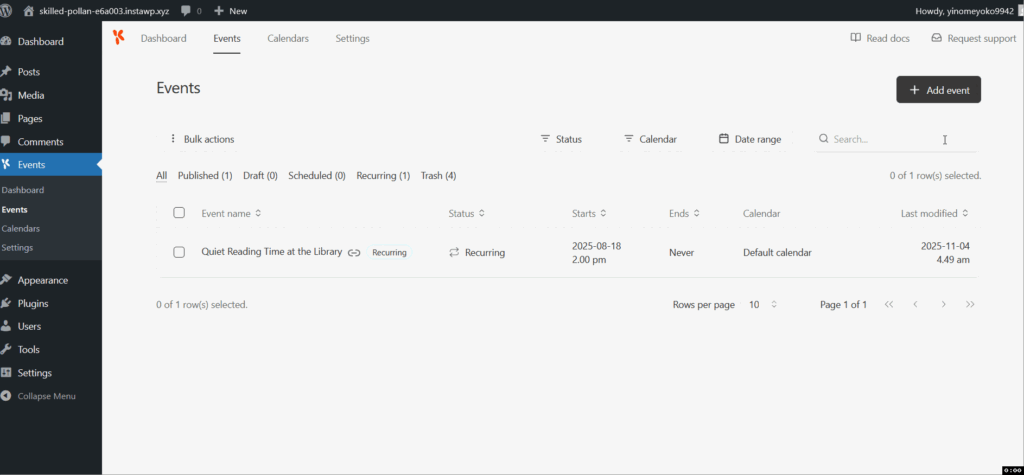
I ran into an issue whenever I tried adding the event’s description, because the description doesn’t get saved in the database and thus wouldn’t show up at the front end.
I noticed that the problem only happened if the TinyMCE toolbar failed to show up; so that anything I typed in the text field didn’t get saved. However, if I refresh the event editor page, the toolbar re-appears, and the system saves anything I type in the description field.
Oddly, the toolbar only disappeared after adding the second or more events (not the first), or when editing an existing event.
I did some testing on the EventKoi website demo and a Local WP install. This problem occurred in WP 6.8.3 and WP 6.9beta2 without Gutenberg installed.
Here is how the issue shows up.
The dev fixed this issue in version 1.0.14.
Plugin – theme conflict
- Theme: Ollie v.1.5.3
- Plugin: EventKoi Lite v. 1.0.14
- Environment: Local
Problem: The calendar’s time zone list box has a very thick underline. Apparently, this issue is particular to Firefox browser and the Ollie theme. Other combinations of Firefox and different themes, like Twenty Twenty-Five, Twenty Twenty-Four, Twenty Twenty-Three or Beaumont and Neve FSE, do work fine.
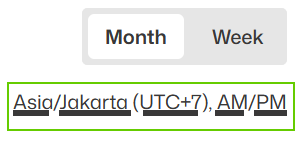
As a workaround, I need to edit the theme’s style.css
/* Temporary fix for text-decoration-thickness
in Firefox for Event Koi plugin */
button {
	text-decoration-thickness: .1rem !important;
	}
The style editing above would not affect the WP core buttons’ element, as they have a different class name wp-block-button.
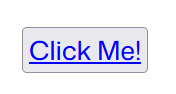
Without the above button style, if you add a raw button element to a post/page using a custom HTML block, you’ll see the link’s underline is really thick.
<button type="button" style="color:blue;text-decoration:underline">Click Me!</button>
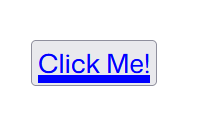
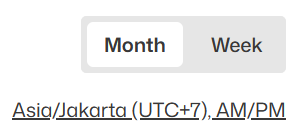
Here’s the resulting buttons for both the button element and the EventKoi’s time zone list box after the style is edited.
I may open a ticket for the Ollie theme developers later.
Share your thoughts